Kyndryl brand standards
Remote recording
Overview
While we prefer in-person filming whenever possible, remote recording is a valuable tool when in-person filming is not an option. Kyndryls around the world can use the following guidance to help effectively capture and convey stories on the go.
Lighting
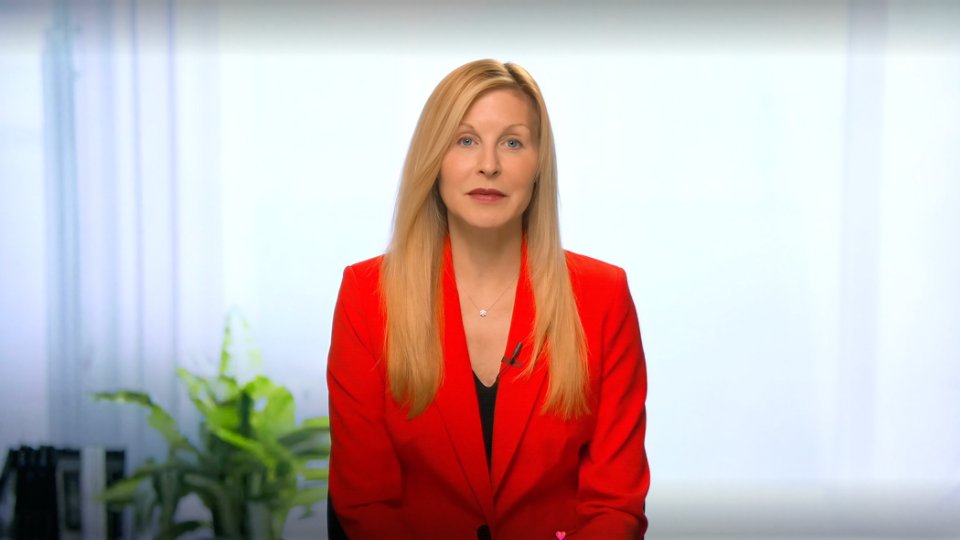
When setting up your remote recording space, it's important to consider the lighting. Ensure that any light sources are positioned in front of you, at face level. This will help prevent backlighting and will ensure that your face is well lit. If you are sitting by a window, make sure you are facing the window to avoid being backlit. Additionally, avoid lights directly overhead as they can create unflattering shadows.
Location
When choosing a location for your remote recording, remember that you are the focus — not your room. Aim to record in a medium-sized, quiet, noise-controlled room with a plain, solid background. Avoid bare floors and high ceilings if possible, as they can cause echoes that can impact the audio quality of your recording. And avoid using backgrounds with loud colors, artwork, mirrors, personal framed pictures or other distracting objects.
Audio
When it comes to audio, we want to make sure that your voice shines through crystal clear. For richer audio quality, upgrade to a headset or external microphone rather than relying on the built-in microphone of your laptop. Whenever possible, avoid using large over-the-ear headphones and opt for a single earbud with an attached microphone.
We understand that nerves are common when appearing on camera, but it's important to be mindful of gestures that may produce unintended noise in the recording. For example, avoid tapping your pen on a table or constantly moving your leg. These seemingly small actions can be amplified in the recording and distract from the message you're trying to convey.
Wardrobe
Choose solid colors to keep the focus on your face and eyes. Avoid wearing small, busy patterns and large logos that might be distracting. Additionally, remove any bulky or noisy jewelry that might interfere with audio quality.
Camera placement
Make sure to record your video in the standard 16×9 (horizontal) format to ensure compatibility across devices and platforms. Position your camera at a height that is either level with your face or slightly below. For the most flattering angle, you should be framed from the chest up, with a bit of space above your head. If necessary, you can film from the waist up rather than the chest up but never zoom in on your face or record your full body.
Remember to activate airplane mode and silence alarms to avoid interruptions during recording. When you’re ready to begin, press record and give it a few seconds of space before you begin talking. This will help to create a natural point for future edits.
Remote recording misuse
- Avoid cutting off the subject’s head (in framing or editing)
- Avoid messy backgrounds
- Avoid filming in a bedroom, bathroom or other unprofessional space
- Avoid facing away from the window, causing backlighting
- Do not excessively stage the filming location